



- DATE:
- AUTHOR:
- The TeamSnap ONE team
Create League Schedules in Minutes with the New Scheduler in TeamSnap ONE
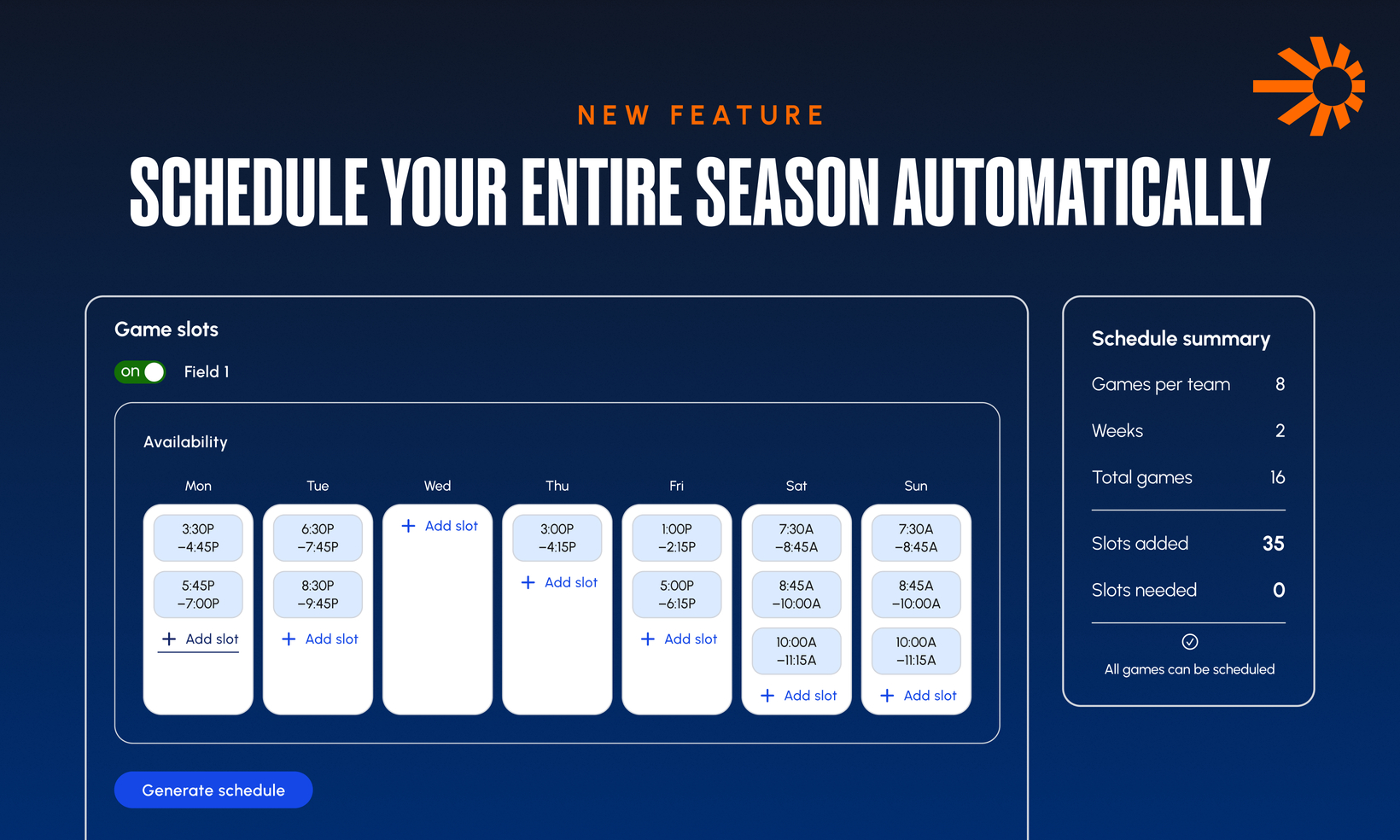
Stop building your season game-by-game. Org Admins can now generate a complete set of games for a division in one pass with the new Auto-Scheduler. Set your venue availability and a few season parameters, and the scheduler creates your matchups automatically, balancing coach and venue conflicts for you. Plus, everything is created as a draft first, so you review before anything goes live.
Generate an entire division's schedule in minutes. Launch the Auto-Scheduler wizard from the Schedules section in TeamSnap ONE. Choose a division, set venue availability, blackout dates, and games per team, and the engine builds your matchups automatically.
Conflicts are handled for you. The scheduler works with full organizational context meaning it avoids double-booking coaches and venues across programs, factors in travel time between venues, and keeps games within your season's start and end dates.
See potential issues before you generate. The Schedule Summary card surfaces the slots you'll need up front, so you can spot gaps before running the scheduler rather than after.
Preview the results before committing. Before you finish, review a summary of what was generated including game count per team and weekend-vs-weekday distribution so you know the output is right.
Nothing goes live until you're ready. Generated games are created in Draft status, visible only to Org Admins. Teams and coaches don't see anything until you publish.
Publish in bulk. Select multiple draft games in the Schedules table, or use the schedule card, and publish them all at once, instead of each game individually.
Pick up where you left off. Need to step away mid-setup? Save & Exit preserves your work and generated games, and Continue Setup lets you finish later right where you stopped.
Resolve unscheduled games easily. If the scheduler can't place every game within your parameters, all matchups are still created and any that couldn't be scheduled are flagged with an Issues badge so you can assign a date and venue.
Filter and export by schedule. A new Schedule column in the Schedules table lets you filter games by the schedule they belong to, and schedule names are included in CSV exports.
Coaches get one email, not many. When you bulk-publish two or more games for a team, that team's coaches and members receive a single consolidated email listing all their new games — not one email per game.