



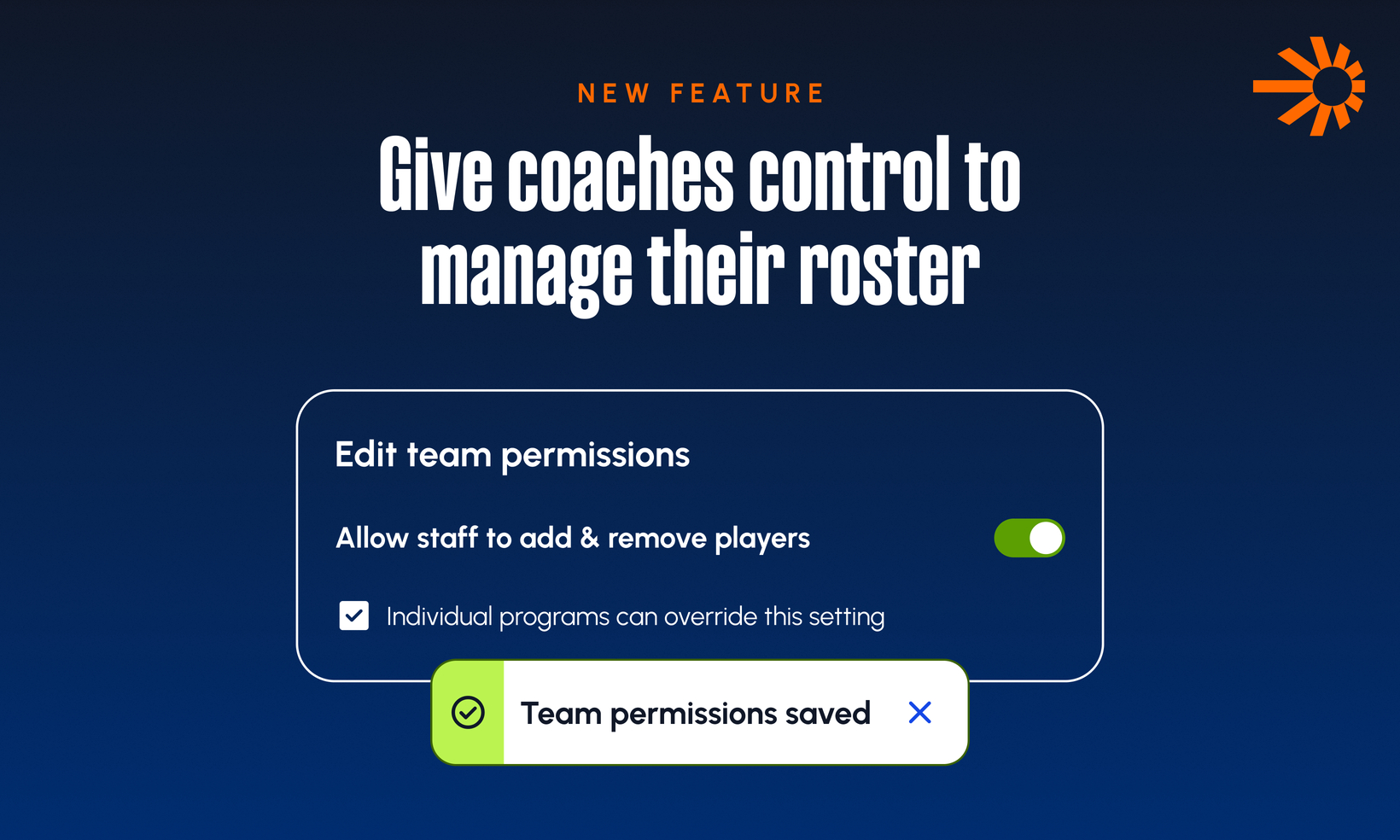
Released: Give Coaches Full Control to Manage Their Rosters
This release gives coaches the ability to manage their own team roster directly in the TeamSnap ONE app, and introduces Team Invite Codes, a simple way for coaches to invite parents to join a team without the organization needing to enter every contact email by hand.
Note: Because these capabilities change who can make roster changes on a team, every new permission is OFF by default. Organizations choose if and when to turn them on.
WHAT'S NEW FOR ORGANIZATION ADMINS
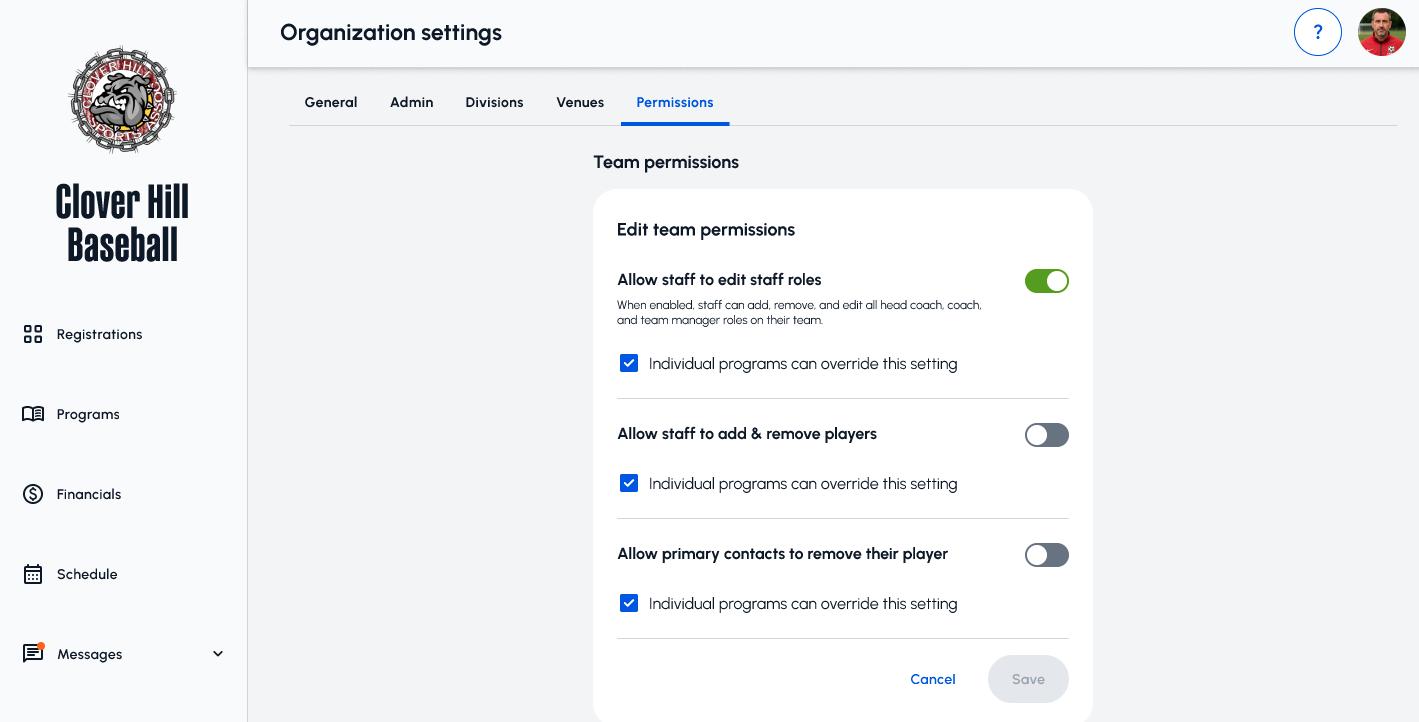
Three new org-level permissions are available in the TeamSnap ONE admin.
• Allow team staff to add and remove players
• Allow team staff to add, remove, and change the roles of other staff
• Allow primary contacts to remove their own player from a team
Organizations can also configure individual programs to override the org-wide setting. If that box is checked, each program's setup screen (including existing programs) will expose the same three toggles so program admins can tailor permissions to their program.
WHAT'S NEW FOR COACHES
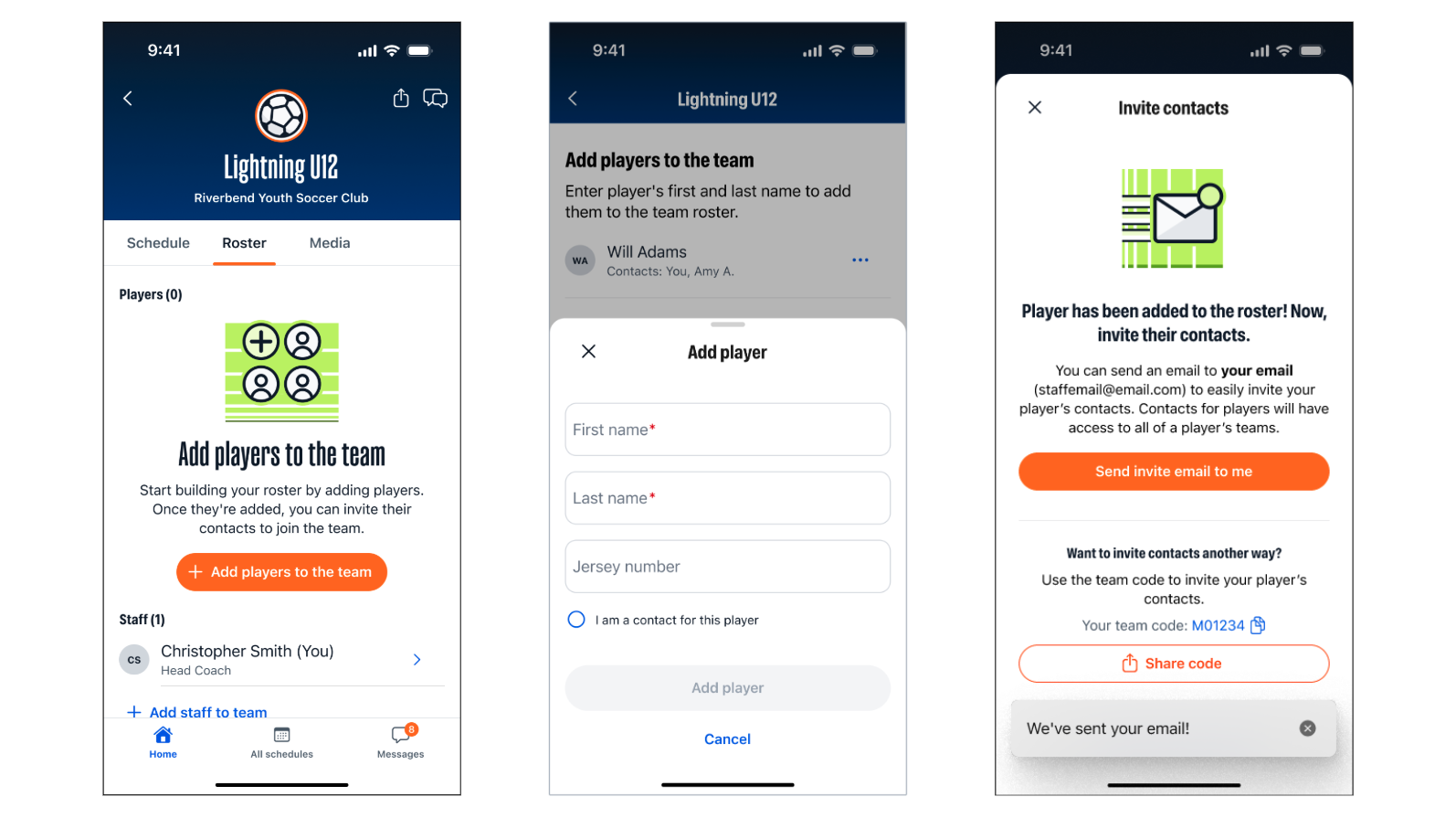
Coaches gain in-app roster management on teams where the organization has turned permissions on.
• Add players to the roster, including a "claim this player" option for coaches who add their own child
• Remove players from the roster
• Add, remove, and change the roles of staff (Head Coach, Coach, Team Manager) via direct email invitation
• Share a Team Invite Code or Team Invite Link so parents can self-serve joining the team by adding themselves as a contact to a rostered player.
WHAT'S NEW FOR PARENTS
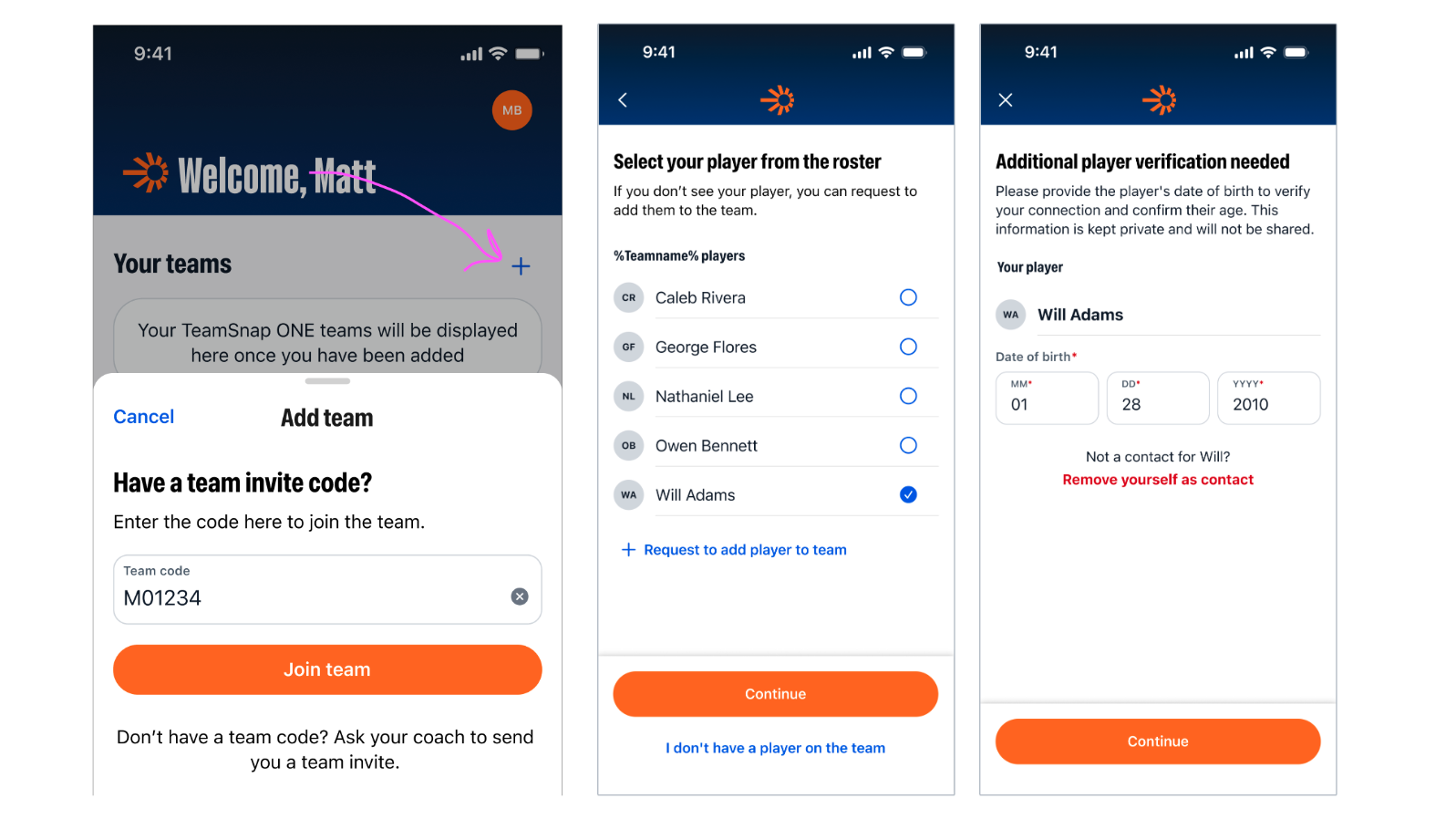
• Primary and non-primary contacts can join a team, by adding themselves as a contact to a rostered player via invite code, using any email address
• Primary contacts can remove their own player from a team (when the organization has enabled this)
SEE IT IN ACTION